Two paths depending on your setup - follow one:
- Without SSO: personal AWS account, direct IAM credentials
- With SSO: enterprise/team setup with an SSO start URL (e.g.
https://company.awsapps.com/start)
Prerequisites
Without SSO:
- AWS CLI v2
- AWS IAM user credentials (Access Key ID and Secret Access Key)
- Terminal
With SSO:
- AWS CLI v2
- AWS SSO start URL and access
- Terminal
Files you will need
~/
├── .aws/
│   ├── config
│   └── credentials
└── .ssh/
    ├── ec2-key.pem
    └── config
Path A: Without SSO
Create .aws folder if it doesn’t exist. Run from your home directory (~).
mkdir -p ~/.aws
Create ~/.aws/credentials.
[default]
aws_access_key_id = YOUR_ACCESS_KEY_ID
aws_secret_access_key = YOUR_SECRET_ACCESS_KEY
Create ~/.aws/config.
[default]
region = ap-southeast-2
output = json
Test your config.
aws sts get-caller-identity
Path B: With SSO
Add a profile block to ~/.aws/config for each environment (e.g. aws-dev, aws-prod):
[profile aws-prod]
sso_session = aws-prod
sso_account_id = 123456789123
sso_role_name = aws-prod-SystemAdmin
region = ap-southeast-4
output = json
credential_process = aws configure export-credentials --profile aws-prod
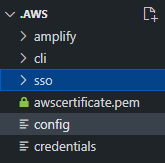
Sample .aws folder structure:
Setup SSH config
Download the .pem keypair when launching the EC2 instance and move it here.
mkdir -p ~/.ssh
mv ~/Downloads/ec2-prod.pem ~/.ssh/ec2-prod.pem
chmod 400 ~/.ssh/ec2-prod.pem
Basic SSH config (no SSO)
Add to ~/.ssh/config:
Host ec2-prod
    HostName 1.2.3.4             # Replace with your EC2's public IP
    User ec2-user                # Use 'ubuntu' for Ubuntu instances
    IdentityFile ~/.ssh/ec2-prod.pem
SSO ProxyCommand config
Use this if connecting via AWS SSM Session Manager with an SSO profile. Add to ~/.ssh/config (or a separate file under ~/.ssh/config.d/):
Host ec2-prod
  User ec2-user
  IdentityFile ~/.ssh/ec2-prod.pem
  ProxyCommand aws ssm start-session --target i-01xyz7659824a123q --profile aws-prod --document-name AWS-StartSSHSession --parameters portNumber=22
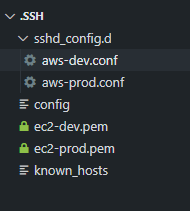
Sample .ssh folder structure:
Connect
If using SSO, log in first:
aws sso login --profile aws-prod
Then SSH in:
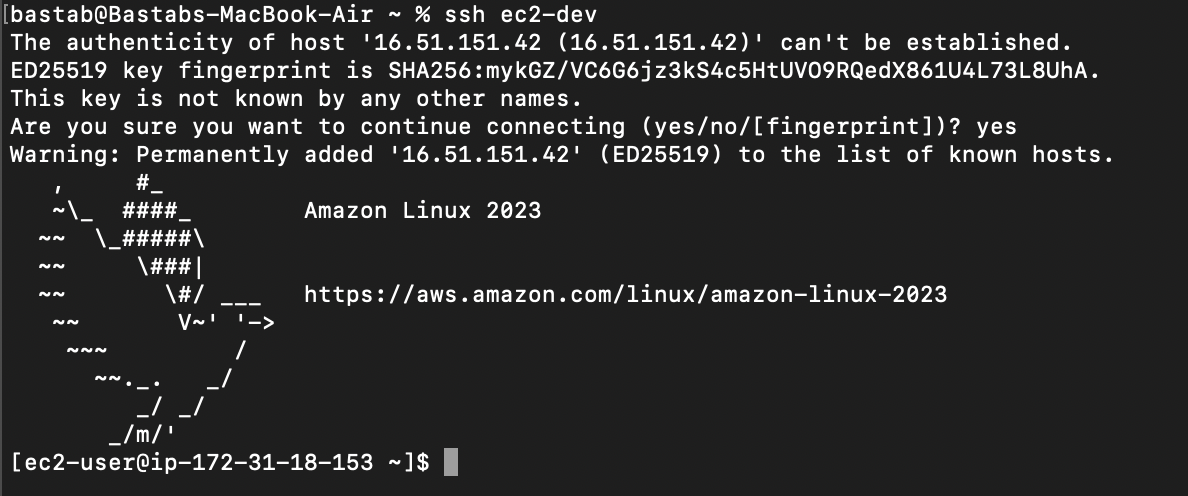
ssh ec2-prod